


Learning piano as an adult is now more accessible than ever, thanks to piano apps that fit into any schedule and budget. These apps offer features like real-time feedback, guided lessons, and vast song libraries, making it easier to learn or improve your skills, as seen in many positive student reviews. From beginners to intermediate players, there’s something for everyone. Here’s a quick overview:
- Piano Marvel: Structured learning with sight-reading tools and over 25,000 songs. Best for serious learners.
- Playground Sessions: Real-time feedback and a diverse library. Ideal for pop music fans.
- flowkey: Beginner-friendly with interactive tools and 1,500+ songs. Great for visual learners.
- Simply Piano: Gamified lessons with a family plan option. Perfect for beginners.
- Skoove: Focuses on sheet music reading and theory. Suited for adults seeking balance.
- Pianote: Offers real teacher feedback and live lessons. Good for those who value human interaction.
- Yousician: Gamified learning with a large library. Fun for all skill levels.
- Online Pianist: Song-first approach with animated tutorials. Great for independent learners.
- Piano Academy: Beginner-focused with interactive visuals. Best for building basic skills.
These apps range in price from $9.99 to $40 per month, with annual plans offering better value. Most are available on iOS, Android, and web platforms, and many include free trials to get started. Whether you’re looking for structured lessons, gamified learning, or a focus on specific songs, there’s an app tailored to your needs.
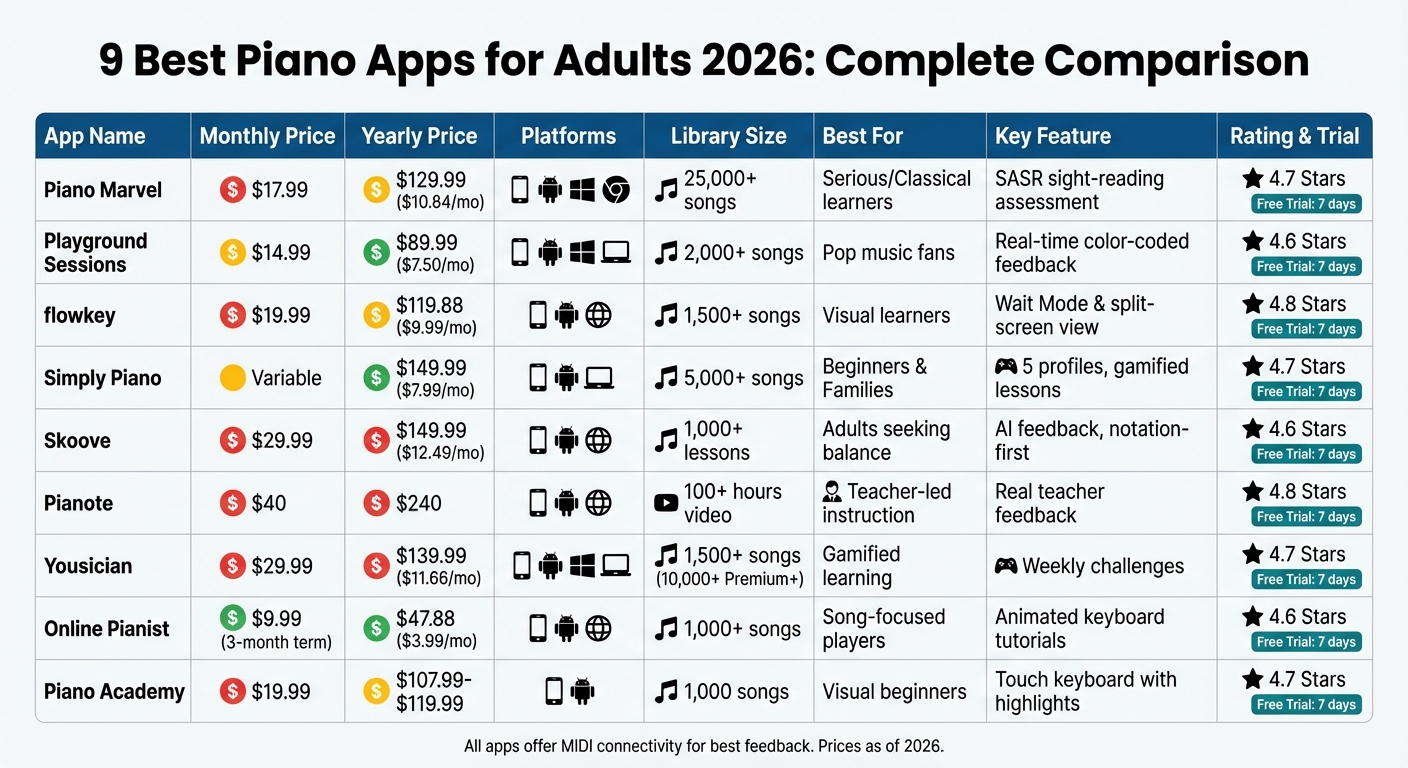
Piano Apps Comparison: Features, Pricing, and Platforms 2026
1. Piano Marvel
Interactive Learning Features
Piano Marvel takes a structured, academic approach to piano education. Its Practice Mode ensures you don’t move forward until you’ve played the correct notes and rhythms, helping you avoid repeating mistakes. When you’re ready, Play Mode steps in, offering real-time scoring and detailed feedback to fine-tune your performance.
One of its standout tools is the Standard Assessment of Sight Reading (SASR), which evaluates, scores, and tracks your sight-reading progress over time. Dr. Joshua Wright from the University of Utah shares his thoughts:
"Piano Marvel is an effective resource for improving sight reading, but it is so much more than that. It challenges students in a motivating and interactive environment by assessing your current level and helping you set achievable and realistic goals." [7]
The platform also spices up the learning experience with monthly challenges, contests, and automatic practice reports. Add to that its extensive song library, and you’ve got a well-rounded learning tool.
Song Library Variety and Accessibility
Piano Marvel boasts an impressive collection of over 25,000 songs and 3,000 piano exercises, making it one of the largest libraries out there [9]. The songs are organized into levels ranging from 1 (beginner) to 18 (professional), so you can easily find pieces that match your skill level [8]. The library covers a range of genres, including Classical, Pop, Christian & Gospel, Holiday, Folk, and Contemporary, with licensed material from publishers like Hal Leonard, Alfred, and FJH Music Company.
A handy slicing feature lets you break songs into smaller sections, perfect for focusing on tricky parts or practicing with one hand at a time [10]. You can even upload your own compositions for personalized practice. While the library leans heavily on classical pieces, some users feel it could use more modern pop selections to rival other apps [2].
Suitability for Adult Learners
Piano Marvel is tailored for adults who are looking for a serious, structured learning experience. It offers over 1,000 guided lessons covering method and technique, alongside hundreds of video tutorials. Institutions like the University of Utah and BYU trust the platform for their students [7]. Dr. Jared Pierce, Coordinator of Group Piano Studies at BYU, highlights its benefits:
"My students love being able to track their own progress and receive instant feedback on their work. It’s also freed up tremendous amounts of time I would otherwise spend grading, allowing me to focus on the musical aspects of my students’ education." [7]
This app leans toward a more rigorous learning curve, making it ideal for those who are serious about advancing their skills [2]. While it works with acoustic pianos via a microphone, the most precise feedback comes when using a MIDI-connected digital piano through USB or Bluetooth [2].
Pricing and Platform Availability
Piano Marvel is available on iOS (iPhone/iPad), Android, Windows, Mac, and Chromebook [7]. Its pricing includes:
- Free Account: Limited access to 150+ songs, 200+ exercises, 25 video lessons, and 3 SASR tests.
- Premium Monthly Plan: $17.99 per month.
- Premium Annual Plan: $129.99 per year (about $10.84 per month), offering a 39% savings [11].
The Premium plan unlocks the full library of 25,000+ songs, unlimited SASR assessments, and the ability to upload custom music. With its pricing structure and wide platform support, Piano Marvel is a solid choice for dedicated adult learners.
sbb-itb-b8bc1ab
2. Playground Sessions
Interactive Learning Features
Playground Sessions makes learning piano engaging with its real-time feedback system. As you play, correct notes light up in green, mistakes in red, and timing errors in pink, helping you identify areas for improvement instantly [12]. You can earn points, unlock rewards, level up, and collect achievements to keep your motivation high. The Demo Mode shows you how songs should sound and visually highlights the keys to play [1][13]. For tricky sections, the looping feature lets you repeat specific measures at adjustable speeds until you nail them.
This hands-on approach combines fun with functionality, making it easier to progress while enjoying a diverse song library tailored to your skill level.
Song Library Variety and Accessibility
Playground Sessions boasts a library of over 2,000 songs spanning genres like Pop, Classical, Rock, R&B, Jazz, and even selections from TV shows and musicals [14]. Each song is arranged in three levels – Beginner, Intermediate, and Advanced – so you can start at your current ability and advance as you improve [15]. New songs are added weekly, often based on user requests, keeping the library fresh and exciting.
Beyond individual songs, the app features structured "Bootcamp" courses to develop essential skills like note reading and music theory. These courses are complemented by over 100 hours of HD video lessons taught by accomplished instructors, including Phil Anderson (Billie Eilish’s teacher) and Mike Garson (David Bowie’s pianist) [1].
Suitability for Adult Learners
Designed with adult learners in mind, Playground Sessions was co-created by 28-time GRAMMY winner Quincy Jones. Instead of simplified scrolling bars, the app uses traditional sheet music to build lasting musical literacy. Quincy Jones shared his vision for the platform:
"We designed Playground so even if you’ve never played a single note before, you’d be hooked and having fun from day one – while learning real musical skills that stay with you for life." [15]
For the best experience, connect a MIDI-enabled digital piano or Baldwin upright piano, though the app also supports beta microphone-based detection for acoustic pianos [14]. Users frequently praise the app’s structured and effective teaching approach. For instance, Joseph from Missouri remarked, "Playground Sessions is light years ahead of any software I’ve ever tried" [14]. It’s no surprise the app holds an impressive 4.8-star rating from thousands of learners [12].
Pricing and Platform Availability
Playground Sessions is available on iPad, iPhone, Android, Windows, and Mac, ensuring accessibility across devices [14]. Pricing options include:
- Monthly Subscription: $14.99 per month [6]
- Annual Subscription: $89.99 per year (around $7.50/month) [6]
- Lifetime Membership: $217.49 [6]
- Free Trial: 14 days with no credit card required [6]
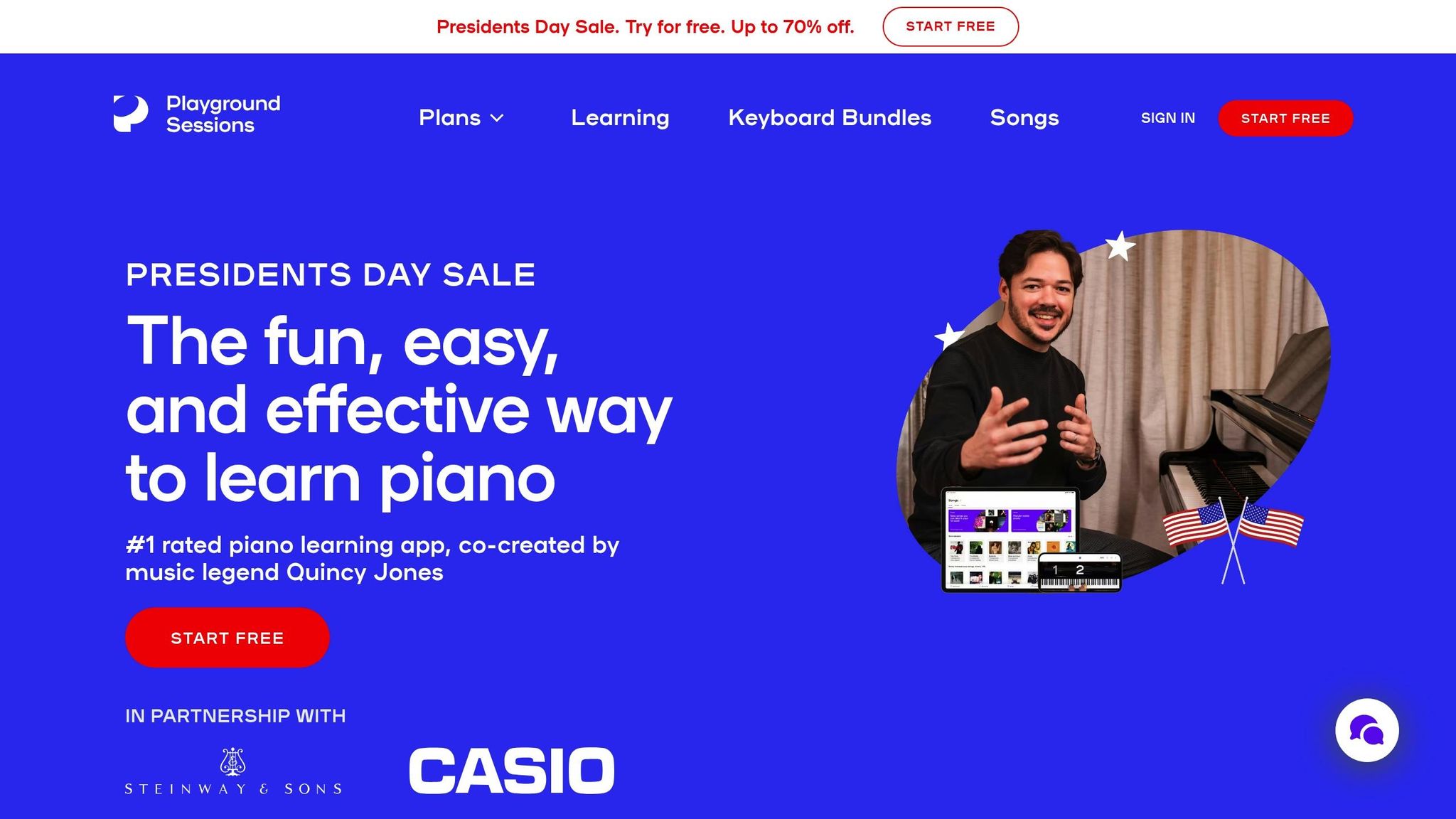
For families, the platform offers plans with discounts of up to 70% during promotions. With its affordable pricing, multi-platform support, and professional instruction, Playground Sessions provides a well-rounded learning experience that caters to adults at all skill levels.
3. flowkey
Interactive Learning Features
Flowkey offers a range of interactive tools to make piano learning more engaging. One standout feature is Wait Mode, which uses your microphone or MIDI connection to pause the sheet music until you play the correct note, allowing you to practice at your own pace [17][18]. Its split-screen interface is another highlight, showing a professional pianist’s overhead video alongside synchronized, scrolling sheet music [17][19].
Other helpful tools include a Loop Function to repeat specific sections, Slow Motion playback at 50% or 75% speed, and Hand Selection for practicing one hand at a time. If you’re using a digital piano with a MIDI or Bluetooth connection, you’ll receive precise feedback, while those with acoustic pianos can rely on the microphone for tracking progress [17][18][21]. These features work seamlessly with Flowkey’s extensive song library, which we’ll dive into next.
Song Library Variety and Accessibility
Flowkey’s library includes over 1,500 songs spanning genres like Classical, Pop, Film & TV, Jazz, Rock, and Video Games [20][3]. Each song is available in four difficulty levels – Beginner, Intermediate, Advanced, and Pro – so learners can progress at their own pace [20][18]. Beyond songs, Flowkey offers courses on music theory, chord mastery, and sight-reading to deepen your understanding of music.
The free version provides access to eight songs and select course exercises, giving you a chance to explore the platform before subscribing [18]. With over 10 million users worldwide and more than 155,000 five-star reviews, Flowkey has built a strong reputation among learners [19].
Suitability for Adult Learners
Flowkey stands out as a platform that caters well to adult learners. MusicRadar describes it as:
"considerably less gamified than some of its rival services, making us think that it might be tailored to a more mature audience" [18].
Instead of relying on simplified visuals like scrolling bars, Flowkey uses traditional sheet music, helping users develop real musical literacy. This approach resonates particularly well with adults who want a more authentic learning experience. The app holds a 4.7/5 rating on the Apple App Store from over 62,000 reviews and a 4.5/5 rating on Google Play from more than 42,700 reviews [19][20]. For the best experience on a PC or Mac, using Google Chrome is recommended to ensure smooth MIDI connectivity [18].
Pricing and Platform Availability
Flowkey is available across iOS, Android, and as a web app for laptops and desktops [22][20][24]. Subscriptions are synced across devices, making it easy to switch between your phone, tablet, and computer [22]. Pricing options include:
- Monthly Subscription: $19.99 per month [18][19]
- 6-Month Subscription: $83.94 (around $13.99 per month) [18]
- Annual Subscription: $119.88 (around $9.99 per month), which comes with a 7-day free trial [18][19]
- Family Plan: Supports up to 5 separate accounts [19]
The annual plan offers the best value, and subscriptions can be canceled at least 24 hours before renewal to avoid being charged automatically [22][20].
4. Simply Piano
Interactive Learning Features
Simply Piano takes a hands-on approach to learning by using your device’s microphone or a MIDI connection to listen as you play. It provides real-time feedback on your accuracy and timing, helping you improve as you go [25]. One of its standout features is Wait Mode, which halts the scrolling sheet music until you hit the correct note. Plus, you can slow down the tempo to practice tricky sections at your own pace [25][27]. The app keeps things engaging with a gamified system – earning stars, leveling up, and completing missions keeps learners motivated [6]. For those juggling busy schedules, Simply Piano also offers quick, personalized 5-minute sessions, making it easy to fit practice into your day [25]. Lessons are broken into manageable chunks, covering everything from reading notes to mastering two-handed coordination [25].
Song Library Variety and Accessibility
With a library of over 5,000 songs, Simply Piano caters to all tastes – whether you’re into pop, classical, Disney hits, or the latest chart-toppers [16][25]. Impressively, users learn more than 1 million songs each week on the platform [25]. A single subscription allows up to five individual profiles, making it a great option for families or shared households [26].
Suitability for Adult Learners
Simply Piano’s popularity among adult learners is reflected in its stellar ratings: 4.7/5 from over 797,000 Apple App Store users and 4.6/5 from more than 949,000 Google Play reviews [25][26]. It’s also received notable recognition, including Google Play’s "Best Apps of 2019", the United Nations’ "World Summit Award", and the Parents’ Choice Award [25][26]. While the app is user-friendly and highly accessible, some advanced players have noted that its lessons may feel overly simplified and lack the depth of music theory offered by more academic tools [25][6]. On the bright side, it works with any acoustic piano or digital keyboard, so there’s no need for specialized equipment [25].
Pricing and Platform Availability
Simply Piano is available on iOS, Android, and Google Chromebooks [28]. There’s also a web version, though it doesn’t support microphone functionality or real-time feedback, making it less practical for active practice [29]. You can try the app with a 7-day free trial of its premium features [26][6]. After that, subscription options include monthly plans or an annual plan, which offers the best value at around $7.99 per month when billed as $149.99 annually [6][27]. For families, the app’s Family Plan supports up to five profiles and even includes access to Simply Guitar [26]. This flexibility makes it an appealing choice for adult learners looking for practical and engaging ways to practice.
5. Skoove
Interactive Learning Features
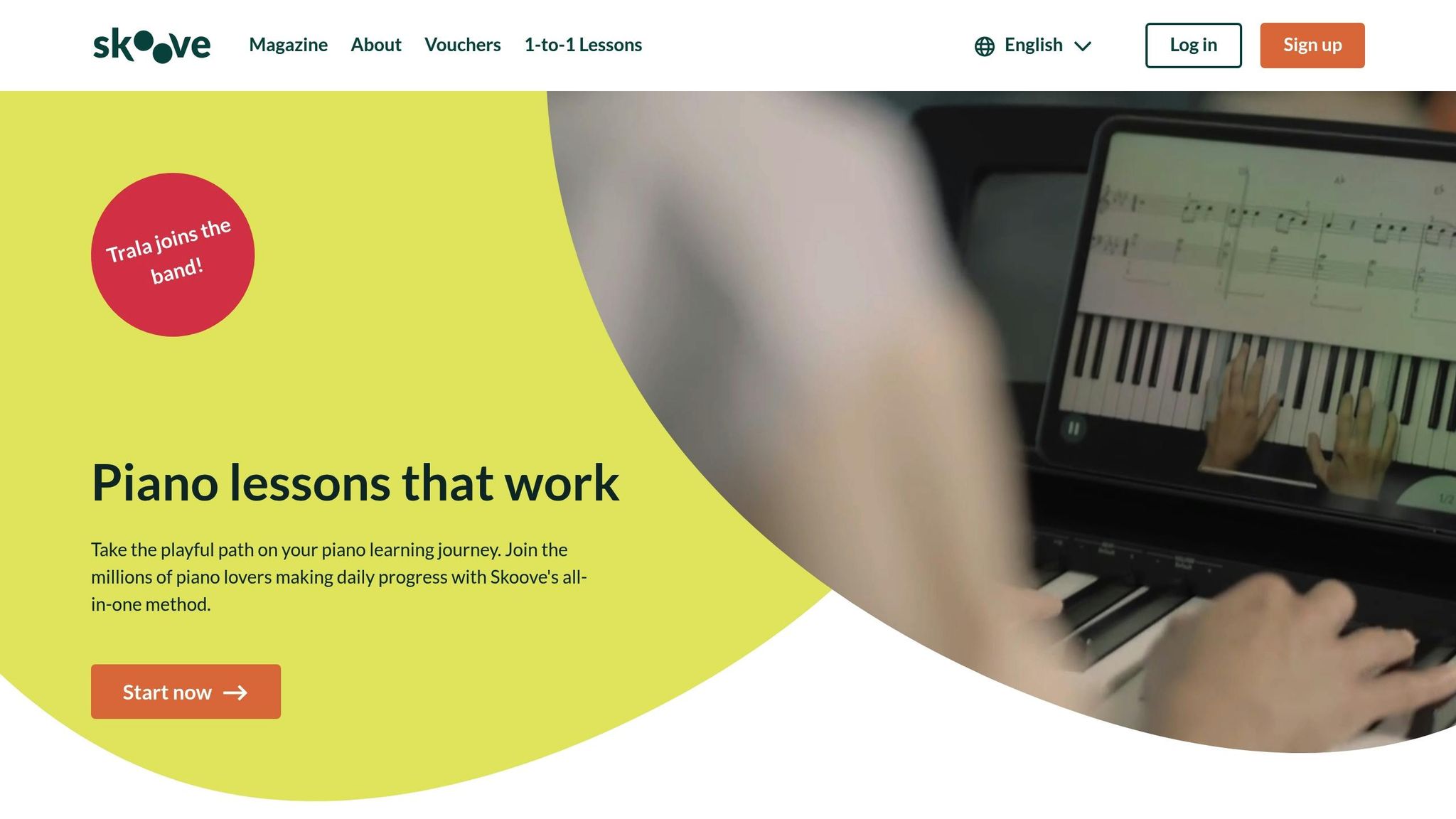
Skoove takes a more traditional approach to piano learning by focusing on sheet music reading rather than using gamified falling notes [6]. Its standout feature is an AI-powered listening engine that uses your device’s microphone or a MIDI connection to provide instant feedback on your playing, including accuracy and timing [32]. The app also includes tools like "Wait Mode", which pauses lessons until you hit the correct note, along with tempo controls and looping options for focused practice [32]. Its curriculum goes beyond just playing songs, covering music theory, sight-reading, ear training, and technical exercises aimed at improving skills like hand independence and finger agility [30]. For those who subscribe to the Premium plan, there’s even one-on-one support and personalized feedback from Skoove’s team of music instructors [30]. Forbes highlighted this unique feature:
"Unlike various other music-learning apps, Skoove’s virtual guide takes the learner through each lesson, and provides real-time feedback that listens to the player as they practice" [30].
Song Library Variety and Accessibility
Skoove offers a diverse library with over 1,000 interactive lessons and songs, covering a wide range of genres like pop, classical, rock, jazz, and even film scores [6]. What makes it stand out is its thoughtful mix of modern hits and timeless classics, all categorized by skill level – beginner, intermediate, and advanced [33][30]. The app is designed to work seamlessly with any piano or keyboard, whether you connect via USB MIDI, Bluetooth MIDI, or simply use your device’s microphone [30]. With over 3 million users worldwide, Skoove’s method has gained a solid following [30].
Suitability for Adult Learners
Skoove’s approach is particularly well-suited for adult learners [31]. Its focus on notation and musical literacy appeals to those looking for a more structured and serious piano education rather than a game-like experience [6]. The app has received impressive ratings – 4.6/5 stars on the App Store from 21,000 reviews and 4.5/5 stars on Google Play from 11,000 reviews [32][33]. Users often highlight the "thoughtfully designed" lessons and exercises that help develop real piano skills. However, some users have mentioned that note recognition can be less accurate when using an acoustic piano with the microphone, suggesting a MIDI connection for better precision [33].
Pricing and Platform Availability
Skoove combines its extensive features with flexible pricing and broad platform compatibility. Available on iOS, Android, and web browsers [6], the app offers a free version with basic lessons that don’t require a credit card [30]. For more advanced features, Premium subscriptions are available at $29.99/month, $59.99 for 3 months (about $19.99/month), or $149.99 annually (approximately $12.49/month). A 7-day free trial is also included [6]. The annual plan is an attractive option for those who are serious about improving their piano skills over the long term.
6. Pianote
Interactive Learning Features
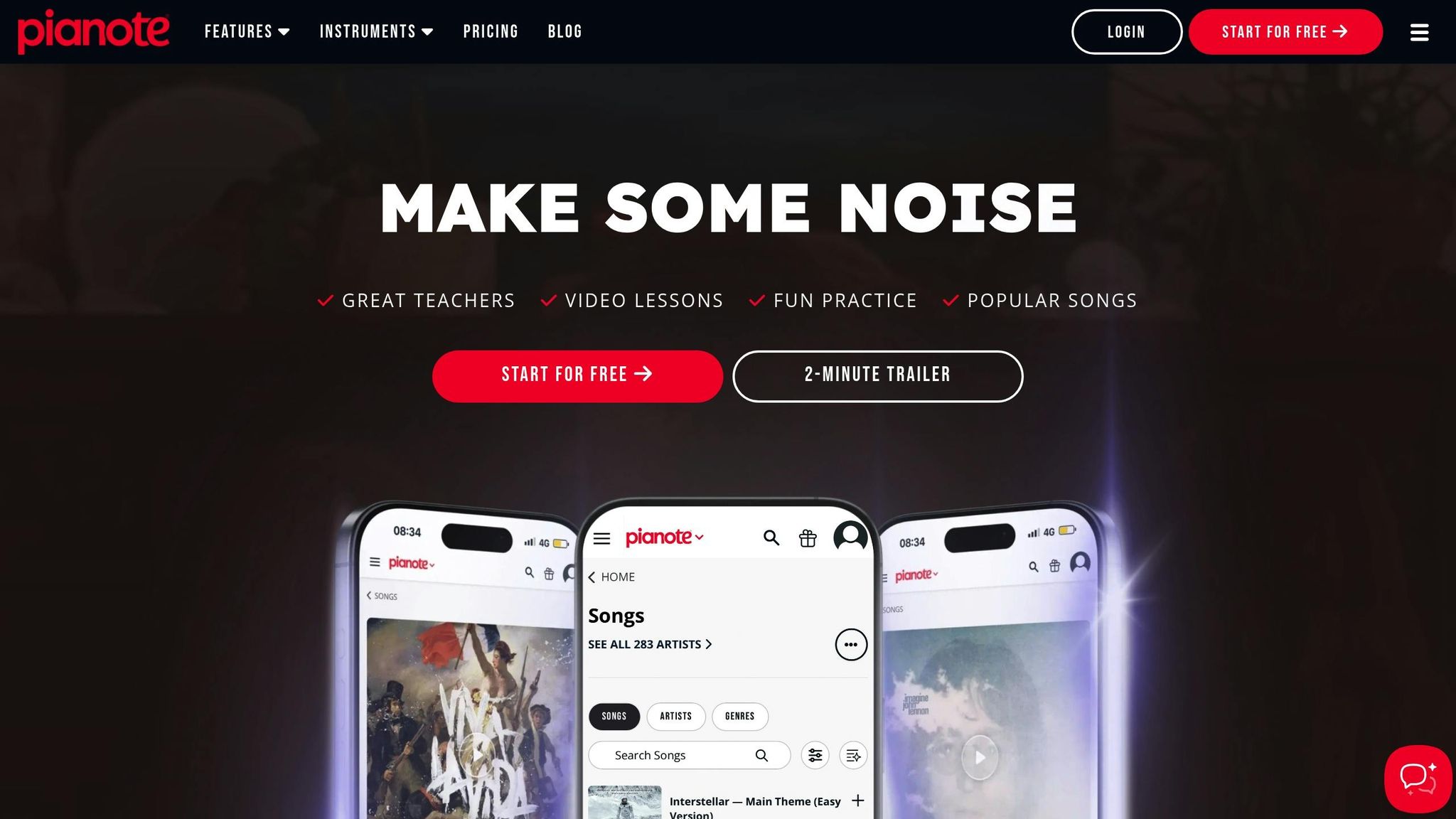
Pianote takes a different approach compared to most piano apps – it skips AI and MIDI feedback entirely. Instead, it emphasizes real human interaction. You can send videos of your performances to actual teachers for personalized feedback and join live lessons where you can ask questions in real-time. Its structured program, called The Pianote Method, walks you through 10 levels, starting from the basics and advancing to more complex skills. The focus is on musical expression, theory, and practical skills. Pianote also includes practice tools like adjustable tempos, looping for tricky sections, and volume controls so you can play along with your instructor. As Pianote describes itself:
"We’re not an app. We’re not AI. We’re real humans who value connection over algorithms." [34]
Song Library Variety and Accessibility
Beyond personalized lessons, Pianote offers a broad collection of tutorials covering pop, classical, and rock genres. Members can download and print sheet music for any song at no extra cost, and lessons can be accessed offline for added convenience. With over 101,000 Musora students already using the platform, the library is designed to appeal to a wide range of musical tastes. [34]
Suitability for Adult Learners
Pianote’s focus on real instructors makes it especially appealing for adults who prefer a more traditional, classroom-like experience over gamified learning. Lessons are led by Grammy winners and touring professionals, offering a serious, professional tone. As American Songwriter highlights:
"Pianote’s method is focused on providing access to real teachers, so it’s one of the closest things to in-person lessons you can get as an app." [23]
However, this approach does require more self-motivation since there’s no instant automated feedback. For added support, Pianote includes access to a global community of students and forums where members can share progress and stay motivated.
Pricing and Platform Availability
Pianote’s emphasis on real teacher feedback makes it stand out in a competitive market. You can access the platform on the web, iOS, and Android through the Musora app. Pricing begins at $40 per month or $240 annually for an All-Access membership. This membership also includes lessons for other instruments like guitar, bass, drums, and even singing. A 7-day free trial and a 90-day money-back guarantee let you test it out risk-free. While it’s more expensive than gamified apps, the cost reflects the value of direct access to professional instructors.
Best 5 Piano Learning Apps Reviewed And Compared
7. Yousician
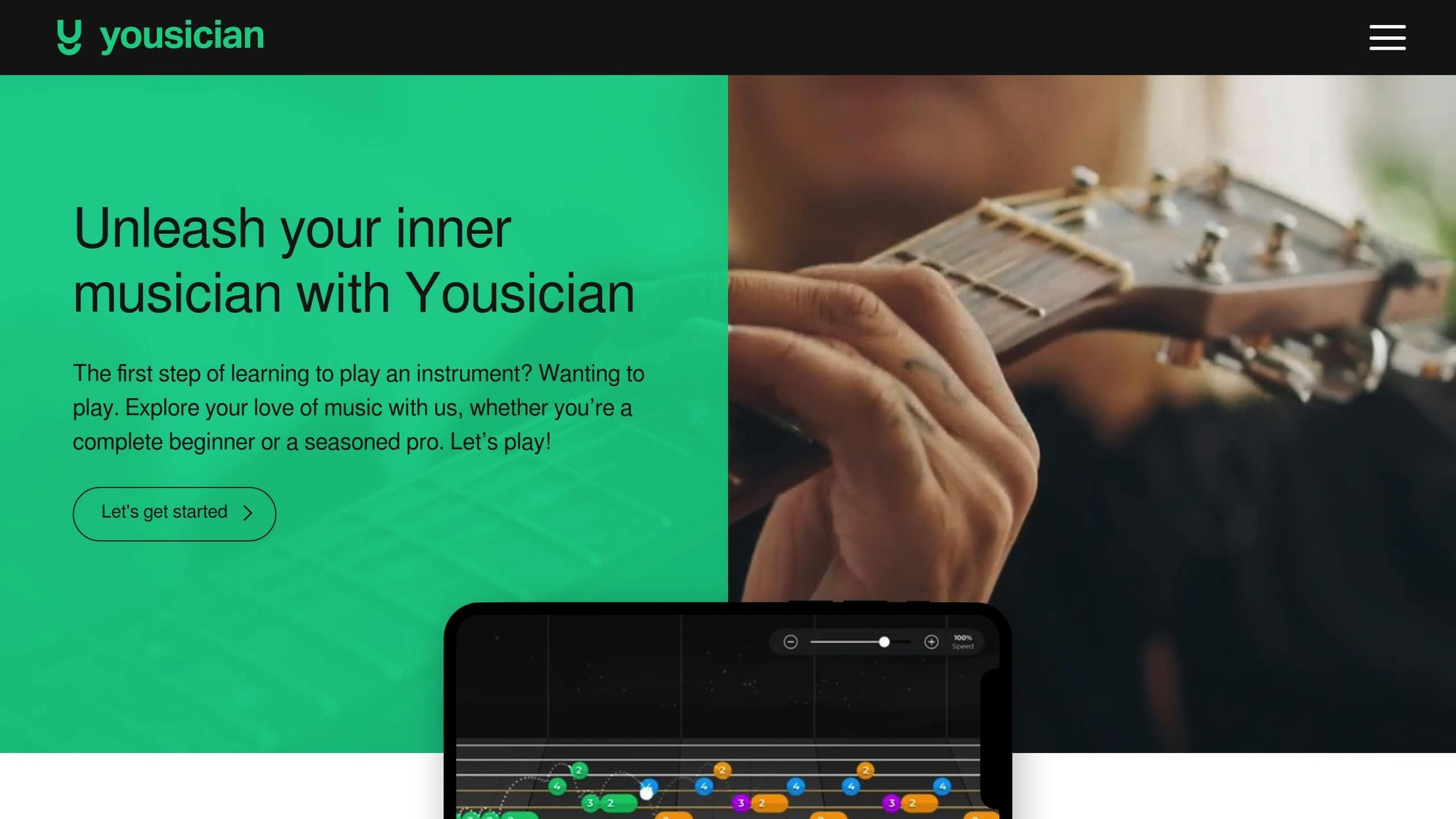
Yousician is an excellent choice for adults looking to combine effective piano practice with a bit of fun. Its engaging interface and feature-packed design make it a standout option.
Interactive Learning Features
Yousician takes a game-like approach to learning piano. Using your device’s microphone or a MIDI connection, the app listens to your playing and gives instant feedback on timing and accuracy. A bouncing visual guide helps you keep rhythm, while a color-coded virtual keyboard shows exactly where your fingers should go.
To suit different skill levels, Yousician offers three notation styles: Enhanced, which uses colored blocks for beginners; Colored, a simplified version of sheet music; and Sheet, which presents traditional notation. Other tools include a "Wait Mode" that pauses until you hit the correct note, options to slow songs to 50–75% speed, looping for tricky sections, and a built-in metronome. Weekly challenges let you compete with millions of other users, adding a social and competitive element to the experience. These features, paired with a well-structured library, make learning both productive and enjoyable.
Song Library Variety and Accessibility
The app’s library boasts over 1,500 songs, missions, and exercises, with Premium+ members unlocking more than 10,000 lessons. Content spans genres like pop, rock, classical, jazz, and blues, and is divided into 9–10 difficulty levels. This progression takes learners from simple single-note exercises to intricate arrangements. Weekly updates keep the library fresh, and advanced players can skip beginner material. As PCMag puts it:
"Yousician is easy to follow and offers helpful visual feedback … its extensive lessons on technique and music theory make it clear that Yousician is no toy." [PCMag]
Suitability for Adult Learners
Yousician’s gamified system appeals to a wide audience, from beginners to advanced players. The app’s rewards and leveling-up system keep learners motivated, though some find the bouncing ball feature distracting. Others wish for a broader selection of classical pieces. Still, its popularity speaks volumes, with over 10 million users worldwide and ratings of 4.7 stars on the Apple App Store (from 22,000 reviews) and 4.4 stars on Google Play (from 25,300 reviews).
Pricing and Platform Availability
Yousician offers flexible pricing and broad platform support. It’s available on iOS, Android, Windows, and Mac. The free version includes 10 minutes of daily practice, while the Premium+ subscription costs $29.99 per month or $139.99 annually (around $11.66 per month). New users can also take advantage of a 7-day free trial to explore all its features.
8. Online Pianist
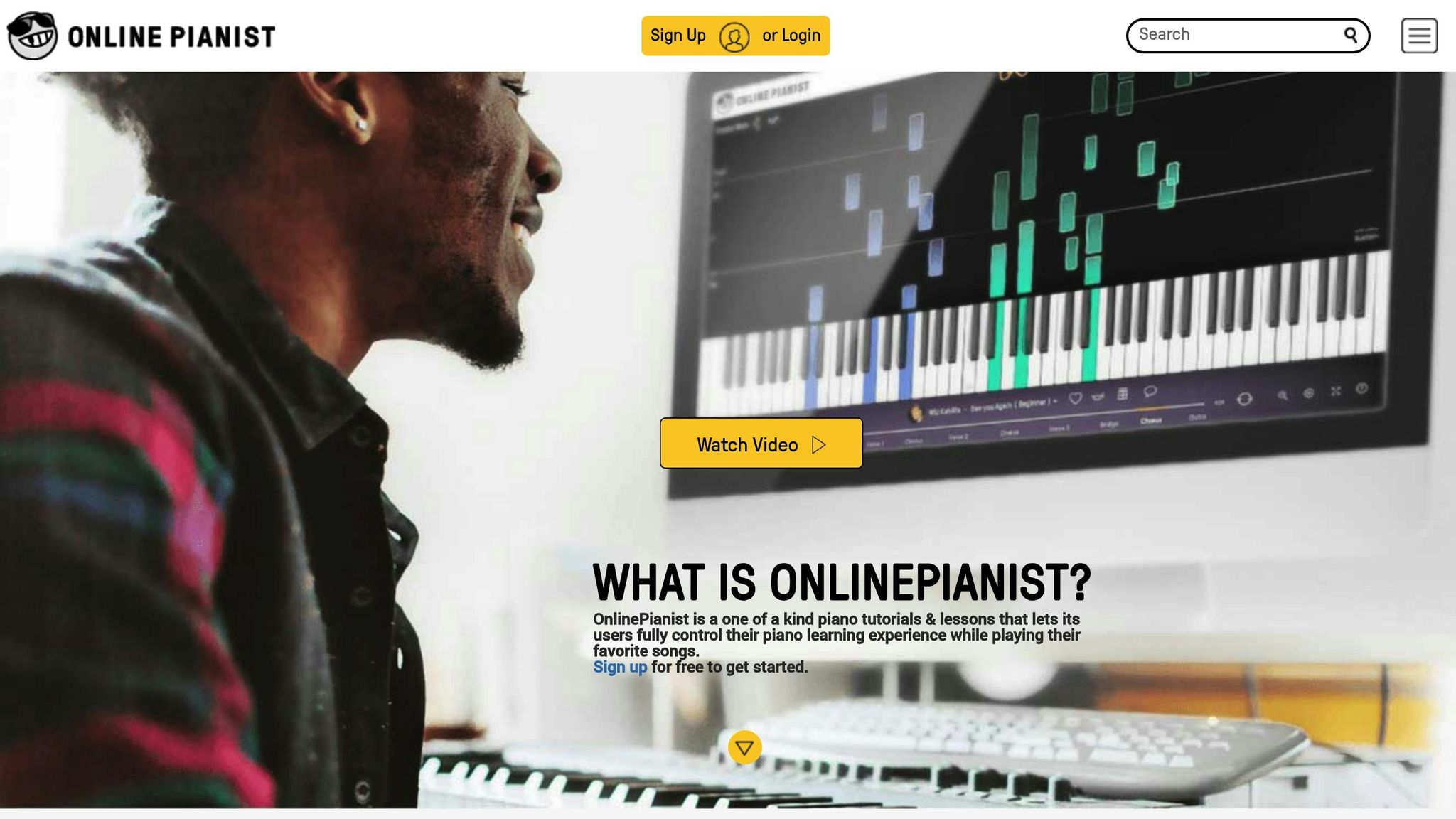
Online Pianist takes a song-first approach, making it perfect for adults who want to dive into playing right away. Instead of sticking to a strict curriculum, you can pick from thousands of animated piano tutorials and jump straight into learning. The platform adds five new songs every week [35], ensuring its library stays current with everything from modern pop hits and classical pieces to anime soundtracks like Chainsaw Man and Jujutsu Kaisen.
Interactive Learning Features
The app is packed with tools to make learning flexible and engaging. It uses falling-note visuals on an animated keyboard, allowing you to practice each hand separately, slow down the tempo, and loop specific sections for targeted practice. You can also tweak settings to suit your needs, such as enabling finger position guidance, zooming in on the keyboard, marking "Middle C", and showing letter notes in either ABC or DoReMi formats.
That said, the app doesn’t include performance feedback or corrections, so it’s best suited for independent learners who are comfortable tracking their own progress.
Song Library Variety and Accessibility
With a catalog of over 1,000 songs [1], Online Pianist offers something for everyone. Many tutorials are available in both "Beginner" and "Pro" versions, and you can save your favorites in a personal songbook that syncs across devices.
"The breadth of the song library, along with beginner-to-pro versions of many tracks, fits well with independent adult study and varied musical tastes."
This extensive library makes the platform especially appealing to adults with diverse musical preferences.
Suitability for Adult Learners
Online Pianist is designed with adult learners in mind, whether they’re looking for personal growth, stress relief, or an enjoyable new hobby. Its song-focused approach allows learners to make progress quickly, even during short practice sessions. The platform’s 5.0 out of 5 rating from the Educational App Store reflects its popularity with this audience.
Pricing and Platform Availability
You can access Online Pianist via iOS, Android, or web browsers, with cross-device syncing available. Free users can explore a limited selection of demo tutorials and earn one free song for every three consecutive visits. Premium subscriptions unlock the full library and all features, with pricing options as follows:
- $9.99/month for a 3-month term
- $6.99/month for a 6-month term
- $3.99/month billed annually (around $48/year), which also includes a 7-day free trial
This range of plans ensures flexibility for users with different budgets and commitment levels.
9. Piano Academy
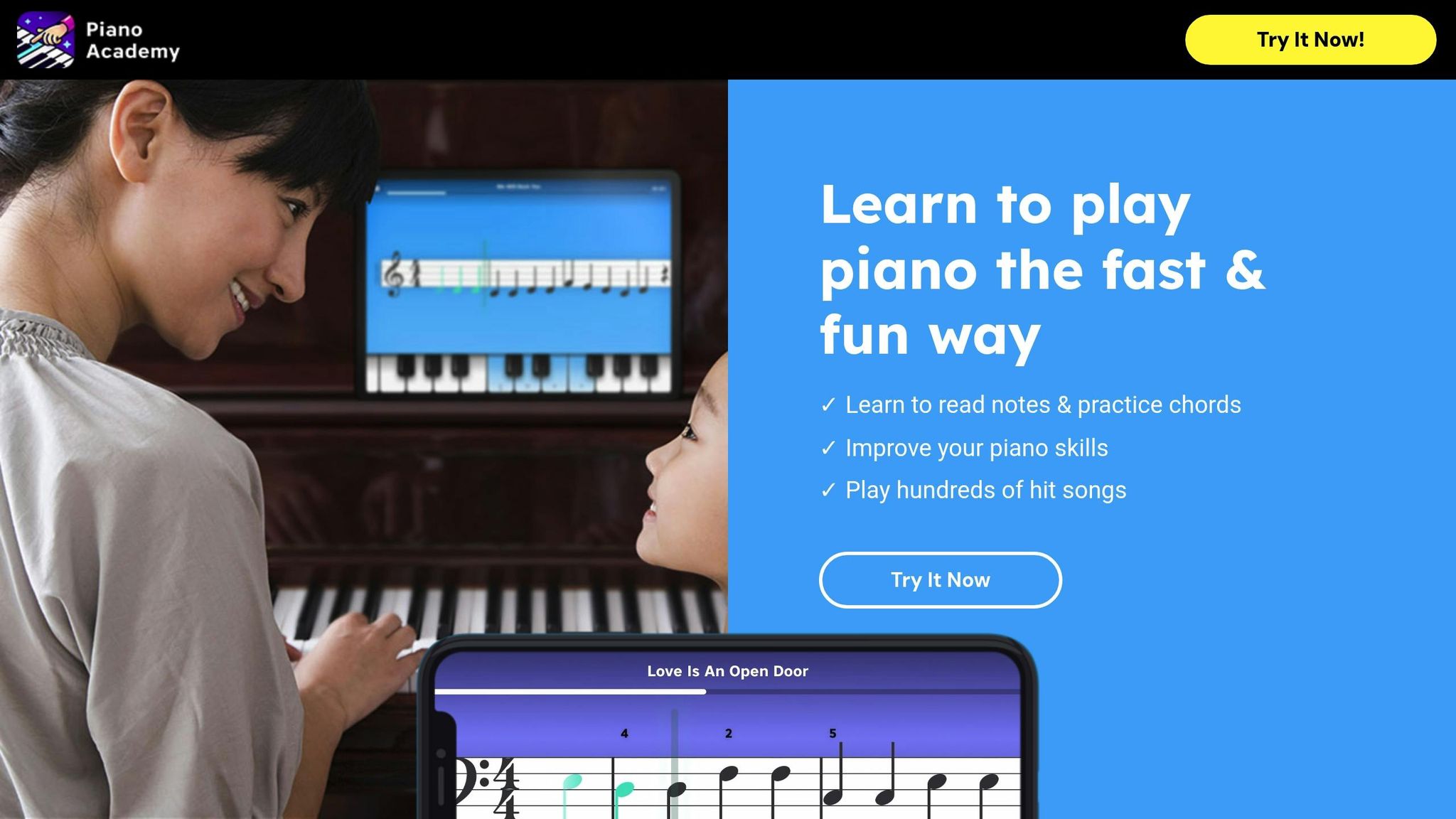
Piano Academy, created by Yokee Music, blends real-time feedback with engaging, game-like lessons. Using your device’s microphone, it can detect notes from acoustic pianos, or you can connect a digital keyboard via MIDI for more precise feedback. This setup provides instant evaluations of note accuracy and timing, making practice more effective [67, 22]. The app also includes interactive games to develop skills like ear training, rhythm, and hand coordination. Additionally, tutorial videos cover the essentials of music theory, note reading, and playing with both hands. A synchronized sheet music player displays notes as you play, accompanied by background tracks [67, 68].
Interactive Learning Features
The app is particularly beginner-friendly, thanks to its visual aids. An on-screen touch keyboard allows you to start playing right away, with highlighted keys guiding you on what to press [67, 8]. It also features a built-in "wait mode", letting you learn at your own speed. However, some users have noted issues with MIDI connections, particularly during two-hand play, citing latency and recognition problems. The lack of tempo adjustment and section looping tools also limits practice flexibility [68, 8].
Song Library Variety and Accessibility
Piano Academy’s song library includes around 1,000 pieces, ranging from classical compositions to modern hits [36]. While this selection is smaller compared to some competitors that boast over 3,500 songs, the app’s interactive sheet music and visual aids make it approachable for beginners [6]. This focus on accessibility helps even those with no prior experience to start playing confidently.
Suitability for Adult Learners
Designed with beginners in mind, Piano Academy is ideal for those building foundational skills. While suitable for all age groups, it’s particularly effective for beginners and early-intermediate players [6]. The app has received strong ratings, with 4.6 stars on the App Store and 4.4 stars from over 81,500 Google Play reviews [67, 68]. Users praise its intuitive design and beginner-friendly pacing, though some feel the game-like format leans more toward younger audiences. Others note that the app may lack the depth required for advanced or long-term study [67, 8].
Pricing and Platform Availability
Piano Academy works on iOS and Android devices, including phones, tablets, and Chromebooks, though it doesn’t offer a web-based version [68, 3, 22]. The free version includes a 7-day trial with limited lessons and daily practice caps. To unlock full access, premium subscriptions are available at $19.99 per month, $41.99 for three months, or between $107.99 and $119.99 annually [68, 8]. For the best experience, especially in note recognition, a MIDI-USB connection is recommended [36]. By combining interactive visuals with immediate feedback, Piano Academy continues to make piano learning more approachable for adult beginners.
App Comparison Table
Here’s a breakdown of nine piano apps, comparing their pricing, platform compatibility, ideal users, advantages, and drawbacks.
Monthly subscription costs range from $9.99 to $40.00, while yearly plans run between $59.99 and $240.00 [6]. Some apps even offer lifetime access. Most platforms also include a 7-day free trial, allowing you to explore their features before making a commitment.
Platform availability varies widely. For instance, Piano Marvel supports iOS, Android, Windows, Mac, and Chromebook [7]. In contrast, Simply Piano is limited to mobile devices (iOS and Android). Skoove and flowkey are web-focused but offer iOS apps [23], while Playground Sessions and Yousician work across Windows, Mac, iOS, and Android [23].
For a detailed look at each app’s features and user experiences, check out their individual reviews above.
| App | Monthly Price | Yearly Price | Platforms | Best Use Case | Pros | Cons |
|---|---|---|---|---|---|---|
| Piano Marvel | $15.99 | $110.99 | iOS, Android, Windows, Mac, Chromebook | Serious/Classical learners | SASR sight-reading tool; structured curriculum | Academic feel |
| Playground Sessions | $14.99–$19.99 | $89.99–$119.99 | iOS, Android, PC, Mac | Popular music fans | Extensive song library; backing band feature | Requires MIDI for feedback; no mic mode |
| flowkey | $9.99–$19.99 | Lifetime: $329.99 | iOS, Android, Web | Visual learners | 1,500+ songs; "Wait Mode" for practice | Less structured than full courses |
| Simply Piano | $17.99–$24.95 | $169.99–$224.99 | iOS, Android | Beginners & Families | Very intuitive; gamified motivation | Lacks deep theory/technique |
| Skoove | $29.99 | $149.99 | iOS, Web | Adults seeking balance | AI feedback; notation-first approach | Limited advanced-level content |
| Pianote | $29–$40 | $197–$240 | iOS, Android, Web | Teacher-led instruction | Real teacher access; community support | No real-time interactive feedback |
| Yousician | – | $67.99–$139.99 | iOS, Android, PC | Gamified learning | Fun "Guitar Hero" style; large library | Theory is surface-level |
| Online Pianist | – | $59.99 (3 months: $29.99) | iOS, Android, Web | Song-focused players | Animated keyboard; large pop library | No feedback or correction |
| Piano Academy | $19.99 | $119.99 | iOS, Android | Visual beginners | Note-highlighting; friendly pacing | No feedback on accuracy/timing |
For the best interactive feedback, a MIDI connection is recommended [23]. However, some apps prioritize video lessons or self-guided evaluation over real-time corrections [6].
Conclusion
Piano apps bring a level of convenience that’s hard to beat. With practice sessions as short as 15–20 minutes, you can squeeze in learning during lunch breaks or late evenings [2]. Features like AI-driven error correction and MIDI integration provide instant feedback, while gamified elements and extensive song libraries help keep you motivated [1][4].
That said, apps have their limits. They can’t monitor your hand positioning, adjust wrist tension, or address the finer points of musical expression [1][2]. These are areas where working with a human instructor can make a big difference.
Choosing the right tool depends on your goals. If you’re looking for structured progress and want to improve your sight-reading, options like Piano Marvel or Skoove are worth considering. For those who enjoy learning popular songs and want quick, fun results, Simply Piano or Yousician might be a better fit [5][4]. If you prefer a classroom-style approach with instructor-led video lessons, Pianote offers professional guidance, though it lacks real-time interaction.
For even better results, think about pairing your chosen app with in-person lessons at Cooper Piano. Their experienced instructors can refine your technique and address physical habits that apps simply can’t. And if you’re not ready to invest in a piano just yet, Cooper Piano’s rental program allows you to start learning on a quality instrument without a big upfront expense – a great way to test your commitment.
FAQs
Do I need a MIDI keyboard to use these apps?
No, you don’t need a MIDI keyboard. Plenty of apps are compatible with both acoustic and digital pianos, and some are even capable of analyzing audio input from virtually any instrument. Just make sure to review the app’s compatibility features to confirm it works for your setup.
What is the best app for learning to read sheet music?
The top app for learning to read sheet music is Read Ahead. This app focuses on training you to anticipate and look ahead to the next measure in the score, gradually helping you build stronger sight-reading skills.
Can piano apps replace in-person lessons for adults?
Piano apps can be fantastic tools for picking up the basics, honing techniques, and keeping your practice sessions engaging. They often provide structured lessons and interactive features that make learning accessible and enjoyable. However, they fall short when it comes to offering the kind of personalized feedback and customized instruction you’d get from a teacher.
Many experts suggest using piano apps as a supplement rather than a replacement for traditional lessons. This combination works especially well for mastering advanced skills or diving into music theory. A teacher can help break down tricky concepts and adapt lessons to suit your unique learning style, something an app simply can’t replicate.